- Blog /
- What Is Observability? It’s More Than Metrics, Logs, and Traces
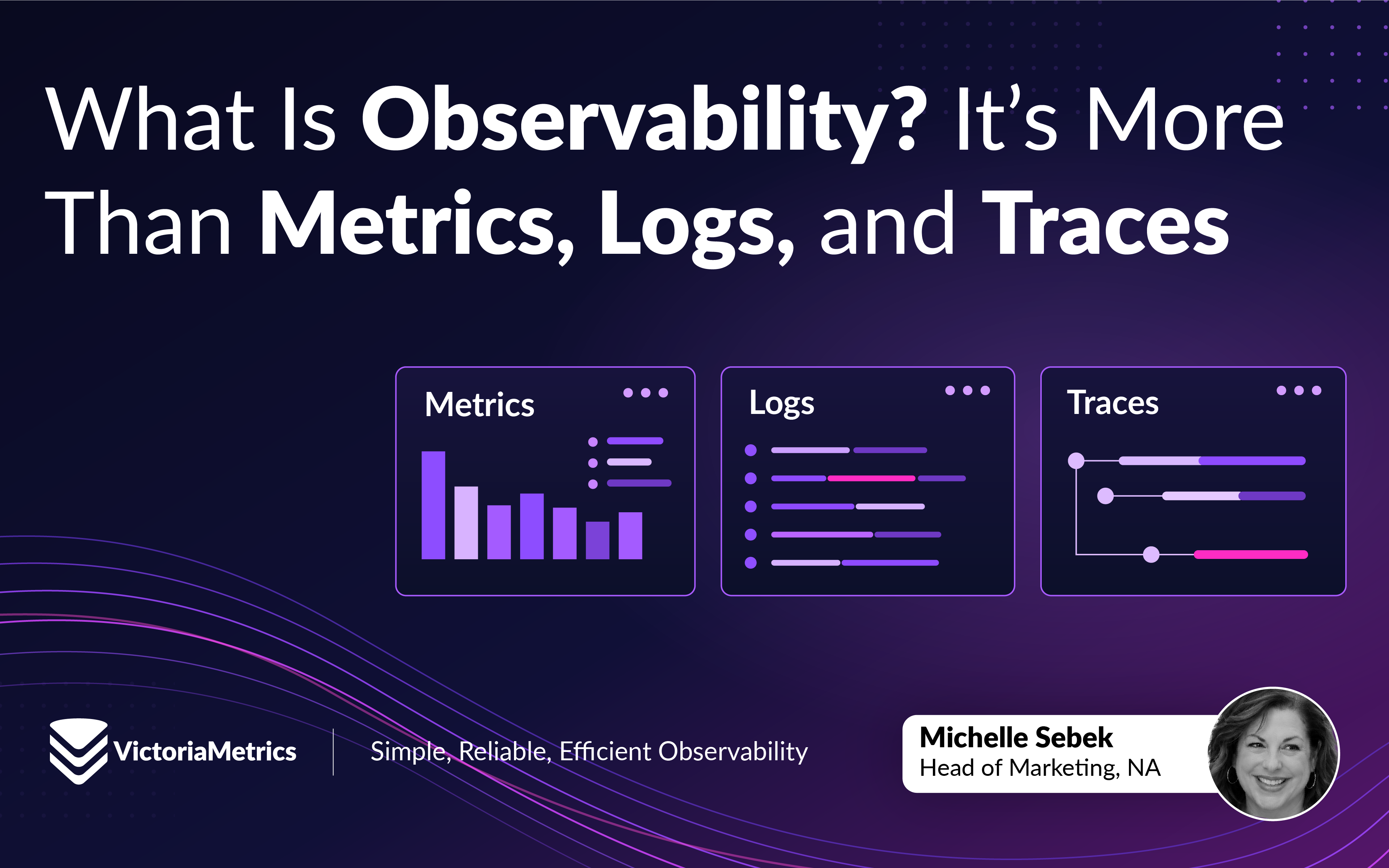
What Is Observability? It’s More Than Metrics, Logs, and Traces
Share:


Modern systems, due to their distributed nature, rarely fail in simple ways.
A request might pass through an API gateway, several microservices, a database, a message queue, and a third-party service before a response ever reaches a user.
When something slows down or breaks, knowing that something is wrong is only the beginning.
You need to figure out:
What happened? Where did it happen? Why did it happen?
That is where observability comes in.
What is observability?
#
Observability is the practice of making a system understandable from the signals it produces.
That distinction: “practice” is important.
Observability isn’t a tool you install. It isn’t a dashboard. And simply collecting metrics, logs, and traces doesn’t automatically make a system observable.
Observability is an approach to design and operate systems such that telemetry signals are exposed and correlated to understand behavior and dependencies, investigate problems, and ask questions they didn’t necessarily know they would need to ask.
Metrics, logs, traces, and the tools used to collect, store, and visualize them enable observability.
The tools enable monitoring which then supports the practice of observability.
Monitoring != observability.
Observability vs. monitoring
#
VictoriaMetrics co-founder Roman Khavronenko describes the distinction simply:
“Monitoring != Observability. Observability is a practice, an approach. Not a tool itself.”
Monitoring answers questions like:
- Is the service available?
- Is CPU utilization too high?
- Has the error rate exceeded our threshold?
- Is disk space running low?
- Is request latency within our SLO?
Monitoring allows you to collect, visualize and alert on relevant data.
Monitoring remains essential to operating production systems.
Observability goes further by giving engineers the context needed to investigate new questions as they arise.
Imagine your API latency alert fires.
Monitoring tells you:
p95 latency is above 500 ms.
Useful.
But now what?
You might need to determine:
- Which service is causing the slowdown?
- Did something change recently?
- Are all users affected or only a subset?
- Is a database query responsible?
- Is one Kubernetes pod behaving differently?
- Is a downstream API taking longer to respond?
- Did a new deployment introduce the problem?
You probably didn’t create an alert for every possible combination of those conditions.
Nor should you have to.
Observability is using all of your data together with these questions.
So is observability replacing monitoring?
#
No.
And this is where some of the terminology around observability gets unnecessarily confusing.
Monitoring is part of a good observability practice.
Monitoring tells you something needs attention.
Observability helps you investigate what is happening and why.
Metrics, logs and traces: telemetry, not observability
#
Metrics, logs and traces are frequently described as the “three pillars of observability.”
It’s convenient, but it’s shorthand.
But it can also create the impression that collecting all three means you’ve achieved observability.
It doesn’t.
Metrics, logs, and traces are telemetry signals. Let me say it again: metrics, logs, and traces are telemetry signals.
They provide different kinds of evidence about what a system is doing. Engineers use that evidence as part of an observability practice.
Different signals. Different strengths. Different questions.
The goal isn’t to check three boxes.
The goal is to understand your system.
Metrics: What changed, and when?
#
Metrics are numerical measurements collected over time. They help engineers understand how systems behave, identify trends, and detect changes.
A few examples include:
- Request rate
- Error rate
- CPU utilization
- Memory usage
- Disk utilization
- Queue depth
- Request duration
- Active connections
- Database query latency
Metrics are particularly useful for understanding trends and detecting changes across large systems.
You can quickly see that:
- Error rates increased at 14:32
- Request latency doubled
- Memory consumption has been climbing for six hours
- One cluster is receiving significantly more traffic than another
A metric time series is identified by its name and labels. For example:
http_requests_total{service="checkout",status="500"}
The identifier tells us what we’re measuring. The actual time series includes timestamped values:
Timestamp               Value
2026-10-05 14:30:00     120
2026-10-05 14:31:00     135
2026-10-05 14:32:00     190
In this example, http_requests_total is a counter tracking HTTP requests. The values represent cumulative counts for the checkout service’s HTTP 500 responses.
By calculating the rate of change over time, engineers can identify increases in server errors.
Metrics are commonly used for dashboards, alerting, capacity planning, and SLO monitoring.
Their strength is aggregation and visibility over time.
You don’t necessarily need information about every individual request to know something has changed.
But knowing what changed and when doesn’t always explain where the problem originated or why it happened. That’s where other telemetry signals can help.
Metrics help answer: What changed, and when?
Logs: What happened, and why?
#
Logs are records of events generated by applications, infrastructure, and services.
A log entry might contain:
2026-09-28T14:32:17Z ERROR checkout payment request failed order_id=84721 timeout=5000ms
Unlike an aggregated metric, a log can provide detailed context about a specific event.
Logs can tell you:
- what error occurred
- which service generated it
- when it happened
- which host or container was involved
- which transaction was affected
- what the application was doing at the time
That makes logs extremely useful during debugging and incident investigation.
The challenge is volume.
Modern infrastructure can generate enormous quantities of log data. Collecting everything without considering retention, structure, cardinality, and query patterns can quickly become expensive and difficult to operate.
Good observability isn’t simply about collecting more data.
It’s about collecting useful data and finding the information you need when something goes wrong.
Logs help answer: What happened?
Traces: Where did it happen?
#
Modern requests rarely stay inside one process.
Consider a user clicking Buy in an online store.
That request might travel through:
Browser → API Gateway → Checkout → Inventory → Payment → Database
Distributed tracing follows the request as it moves through those services.
A trace represents a request’s path through a distributed system. Spans represent individual operations within that trace.
A trace might show that a request took 1.8 seconds from beginning to end—and that 1.4 seconds was spent waiting for the payment service.
That changes the investigation considerably.
Instead of knowing only:
Checkout is slow.
You now know:
Checkout is slow, and the payment service is where most of the request time is being spent.
Tracing becomes particularly valuable in microservice and distributed architectures where a single user request can touch dozens of components.
Traces help answer: Where did it happen?
Metrics, logs, and traces work better together
#
Production incidents don’t respect telemetry boundaries.
Consider this scenario.
An alert fires:
Checkout latency is increasing.
Step 1: Start with metrics
#
Your metrics show that p95 latency began increasing ten minutes ago.
Error rates are also slightly elevated.
Now you know what changed and when.
Step 2: Follow the request with traces
#
You inspect traces from the affected period.
Most spans look normal, but requests involving the payment service are taking significantly longer.
Now you have narrowed down where the delay is occurring.
Step 3: Investigate logs
#
You inspect logs from the payment service during the same period.
You find repeated timeout messages associated with connections to a downstream dependency.
Now you have more context about what actually happened.
Metrics identified the symptom.
Traces narrowed the investigation.
Logs provided event-level detail.
That’s much closer to how engineers actually debug systems than treating metrics, logs, and traces as three unrelated products.
And notice what happened here:
The telemetry didn’t do the investigation. The engineer did.
The telemetry provided the evidence.
That’s the difference between having observability data and practicing observability.
Where does OpenTelemetry fit?
#
If observability is the practice and metrics, logs, and traces are telemetry, we still need a way to generate and move that telemetry.
That’s where OpenTelemetry comes in.
OpenTelemetry (OTel) is an open-source observability framework for generating, collecting, and exporting telemetry data.
It provides common APIs, SDKs, semantic conventions, and protocols for working with telemetry signals including metrics, logs, and traces.
A simplified architecture might look like:
Application → OpenTelemetry → Observability backend
Or, using the OpenTelemetry Collector:
Applications → OpenTelemetry Collector → Observability backend
The OpenTelemetry Collector can receive telemetry, process it, and export it to one or more backends.
This creates an important separation between how telemetry is produced and where telemetry is ultimately stored and analyzed.
Your instrumentation doesn’t necessarily have to be designed around one proprietary backend.
That gives engineering teams more flexibility in how their observability architecture evolves.
And, again, OpenTelemetry itself isn’t observability.
It’s plumbing.
Very useful plumbing—but plumbing nonetheless.
What makes a system observable?
#
Here’s where the conversation becomes more interesting.
You can collect terabytes of metrics, logs, and traces every day and still struggle to answer a basic question during an incident.
Good observability isn’t measured by how much telemetry you collect.
It’s measured by whether engineers can use that telemetry to understand their systems.
Several practices help.
1. Collect telemetry with a purpose
#
More data isn’t automatically better.
Before collecting everything forever, ask:
What question will this data help us answer?
If you can’t answer it well, collecting it indefinitely may not add much value.
2. Preserve useful context
#
Telemetry becomes significantly more valuable when signals contain consistent context.
Service names, environment, region, cluster, namespace, deployment version, and other attributes can help engineers move from a broad symptom to the responsible component.
Without context, troubleshooting becomes a scavenger hunt.
3. Understand cardinality
#
Modern applications can generate huge numbers of unique time series.
In metrics systems, cardinality refers to the number of unique time series created by combinations of metric names and labels.
Labels such as:
- User ID
- Request ID
- Session ID
- Full URL, particularly with dynamic paths or query parameters
can dramatically increase cardinality when used carelessly.
Every unique combination of label values can create another time series. When those values change frequently or have no practical upper bound, the number of time series can grow quickly.
More useful metric labels often include:
- HTTP method
- HTTP status code
- Normalized route or path template
- Service name
- Region
- Cluster
- Environment
These labels help engineers filter and aggregate telemetry without introducing unnecessary unique identifiers.
High cardinality isn’t inherently bad. Kubernetes pod names and container IDs, for example, can be useful when troubleshooting infrastructure, even though they introduce additional series and churn.
The important distinction is whether the detail provides enough operational value to justify its cost.
Engineers should understand the storage, memory, and performance implications of the telemetry they generate.
The goal isn’t to eliminate cardinality. It’s to make it intentional.
4. Design retention intentionally
#
Not every signal needs the same retention period.
Recent high-resolution telemetry may be valuable for debugging an active incident, while longer-term aggregated metrics may be more useful for capacity planning and trend analysis.
Retention should reflect how you’ll actually use the data.
5. Make telemetry queryable
#
Collecting telemetry you can’t efficiently search or query isn’t particularly helpful.
During an incident, engineers need answers quickly.
Your observability architecture should make it practical to move from:
Something is wrong.
to:
Here’s where we should look.
6. Alert on symptoms that matter
#
Not every unusual metric needs an alert.
An effective alert should generally indicate something that requires attention or action.
Otherwise, teams eventually learn to ignore the noise.
And an ignored alert isn’t much of an alert.
What does good observability look like?
#
No single architecture works for every organization.
A five-person engineering team running a handful of services has different requirements from an organization operating thousands of nodes across multiple regions.
But a good observability practice tends to have a few characteristics.
Engineers can ask new questions
#
You shouldn’t have to predict every future failure mode before it happens.
Telemetry contains useful context
#
Metrics, logs, and traces should contain enough information to help narrow an investigation.
The observability infrastructure remains manageable
#
Your observability system shouldn’t become the thing your team spends all its time observing.
Costs are understandable
#
Telemetry volume can grow quickly. Teams should understand what they’re collecting, how long they’re retaining it, and what that means for infrastructure and cost.
Engineers maintain control of their telemetry.
#
Open standards and interoperable tooling make it easier to change architectures as requirements evolve.
The practice reduces time to understanding
#
The goal isn’t to create the most dashboards.
It isn’t to collect the most logs.
And it definitely isn’t to win an award for the largest telemetry bill.
The goal is to help engineers understand their systems.
Where VictoriaMetrics fits
#
If observability isn’t a product, where does a company like VictoriaMetrics fit?
In the infrastructure that makes the practice possible.
And for VictoriaMetrics, that story started with a scaling problem.
Before founding VictoriaMetrics, co-founders Aliaksandr Valialkin and Roman Khavronenko worked together in ad tech, operating systems that served millions of requests per second. Their team was an early adopter of Prometheus and used it extensively for monitoring those systems.
Prometheus worked well for them until the volume of metrics data they needed to store and analyze grew beyond what their setup could handle efficiently.
That experience helped lead to VictoriaMetrics: a time series database built from scratch and designed to efficiently store and query large volumes of time-series data, including high-cardinality workloads.
Scaling remains an important part of VictoriaMetrics’ design today. Single-node VictoriaMetrics can scale vertically as resources are added, while VictoriaMetrics cluster can scale both vertically and horizontally as workloads grow.
That doesn’t mean every team needs a distributed observability architecture from day one.
Prometheus may be exactly what a team needs to get started. As telemetry volumes, retention requirements, or infrastructure grow, the systems that store and query that telemetry need to grow with them.
Today, VictoriaMetrics provides purpose-built solutions for the telemetry engineers use as part of an observability practice:
- VictoriaMetrics for metrics
- VictoriaLogs for logs
- VictoriaTraces for traces
Each is designed around the characteristics of its respective telemetry signal rather than treating every type of telemetry as the same workload.
Teams can adopt them independently based on their needs and use them together as those requirements grow.
VictoriaMetrics also works with the broader open observability ecosystem, including technologies such as Prometheus, OpenTelemetry, and Grafana.
A simplified architecture using OpenTelemetry might look like:
Applications / Infrastructure
          |
          v
OpenTelemetry SDKs / Instrumentation
          |
          v
OpenTelemetry Collector
(receive, process, export)
          |
          +---- Metrics ---> VictoriaMetrics
          |
          +---- Logs -----> VictoriaLogs
          |
          +---- Traces ---> VictoriaTraces
Applications instrumented with OpenTelemetry SDKs can generate and export telemetry to an OpenTelemetry Collector.
The Collector receives telemetry, can process or transform it, and exports it to the appropriate backend.
For metrics, Prometheus-compatible scraping and remote write provide additional collection and ingestion options. Not every deployment requires an OpenTelemetry Collector, and the exact architecture depends on the workload.
Different telemetry signals have different characteristics and workloads.
Purpose-built for every signal. Designed to work together.
But technology is still only part of the equation.
VictoriaMetrics helps engineers collect, store, and query telemetry efficiently.
What engineers do with that telemetry is the observability practice.
Observability isn’t something you buy
#
It’s easy to make observability about tooling.
Which database?
Which collector?
Which dashboard?
Which query language?
Which vendor?
Those decisions matter.
But they aren’t the reason observability exists.
When production breaks at 2 a.m., nobody cares how many observability tools you’ve purchased or how many dashboards you’ve built.
They care whether they can answer:
What changed?
Where is the problem?
Why is it happening?
What do we need to fix?
Metrics, logs, and traces provide different pieces of evidence.
OpenTelemetry provides a standardized way to generate and move much of that telemetry.
Observability tools help engineers collect, store, query and visualize it.
But observability is the practice of turning that evidence into understanding.
That’s the distinction worth remembering.
Observability isn’t something you buy. It’s something you practice.
And the best observability architecture is the one that helps engineers understand what matters, when they need it, without becoming another problem they have to solve.
Learn more
#
If you’re ready to go deeper, explore:
- OpenTelemetry with VictoriaMetrics: Learn how OpenTelemetry works with VictoriaMetrics across telemetry signals.
- Full-Stack Observability with VictoriaMetrics in the OTel Demo: See metrics, logs, and traces working together in a distributed application.
- The Life of a Metric: Follow a metric from creation through ingestion, storage, querying, and retention.
- VictoriaLogs technical content: Explore how log data is stored, queried, and managed.
- VictoriaMetrics Observability Blogs: Technical articles covering observability, monitoring, OpenTelemetry, performance, and real-world architectures.
Leave a comment below or Contact Us if you have any questions!
comments powered by Disqus
You might also like:
Go, Logs and the Engineering Behind VictoriaLogs Performance
Tech Talk #15: Jesús Espino explains how architecture, data locality, Bloom filters, and Go help VictoriaLogs deliver efficient log storage and fast queries.

The most expensive half-hour of an incident.
Two teams run the same stack. One stays calm, one firefights. The difference isn’t the software. It’s knowledge.
Two cats, two dogs, four vendors, and the model the AI couldn't find (Tech Talk Companion)
Tech Talk #13: Mathias runs his house and four pets on Home Assistant, VictoriaMetrics, and vmanomaly. Then the AI picked the wrong model. Watch on demand.