- Blog /
- How to Decommission a vmstorage Node from a VictoriaMetrics Cluster
How to Decommission a vmstorage Node from a VictoriaMetrics Cluster
Share:


Problem
#
We need to remove a vmstorage node from VictoriaMetrics cluster gracefully. Every vmstorage node contains its own portion of data and removing the vmstorage node from the cluster creates gaps in the graph (because replication is out of scope).
Setup example
#
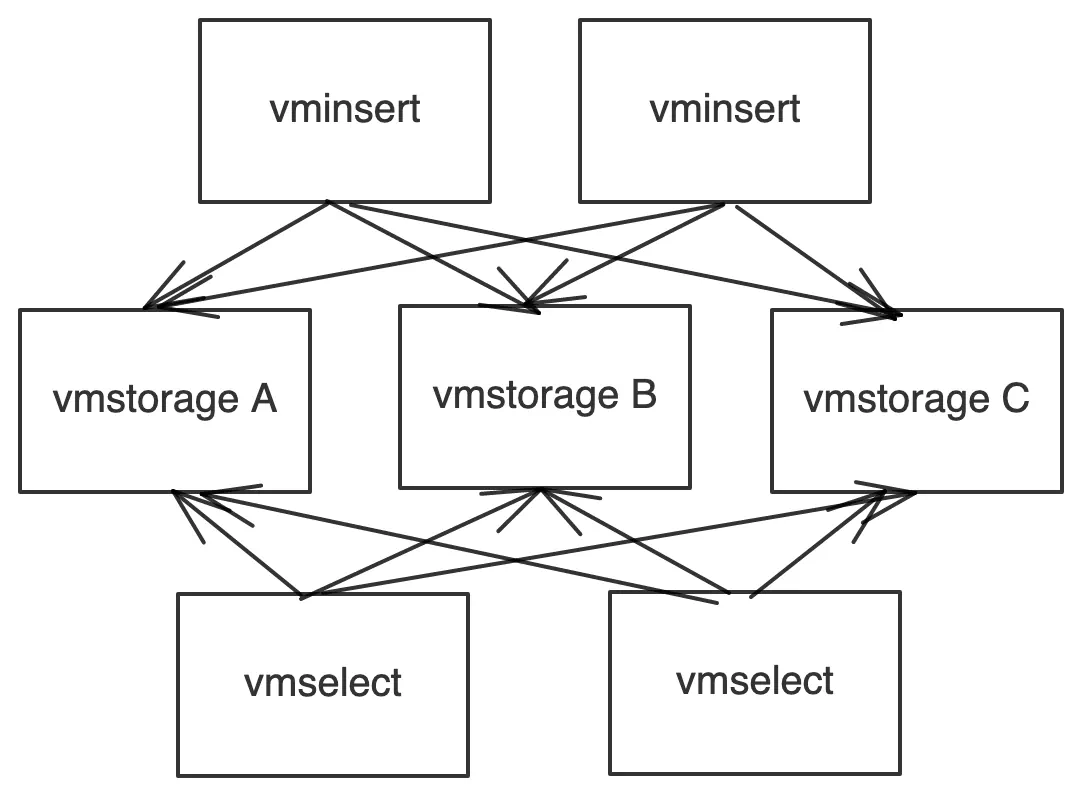
We have a VictoriaMetrics cluster with 2 vminsert, 2 vmselect and 3 vmstorage nodes. We want to gracefully remove vmstorage A from the cluster.
Solution One
#
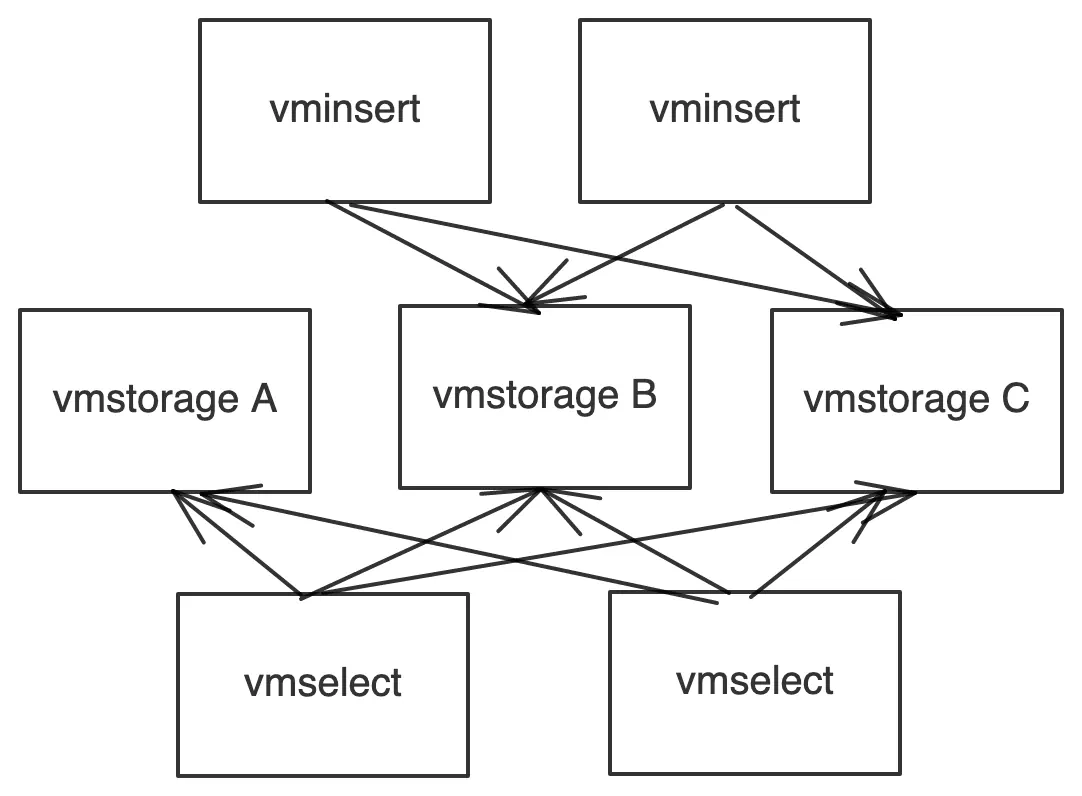
- Remove
vmstorage Afrom the vminsert list - Wait for the retention period
- Remove
vmstorage Afrom the cluster
Note: please expect higher resource usage on the existing vmstorage nodes (vmstorage B and vmstorage C), as they now need to handle all the incoming data.
Pros: Simple implementation
Cons: You may need to wait for a long period of time
Solution Two
#
- Remove
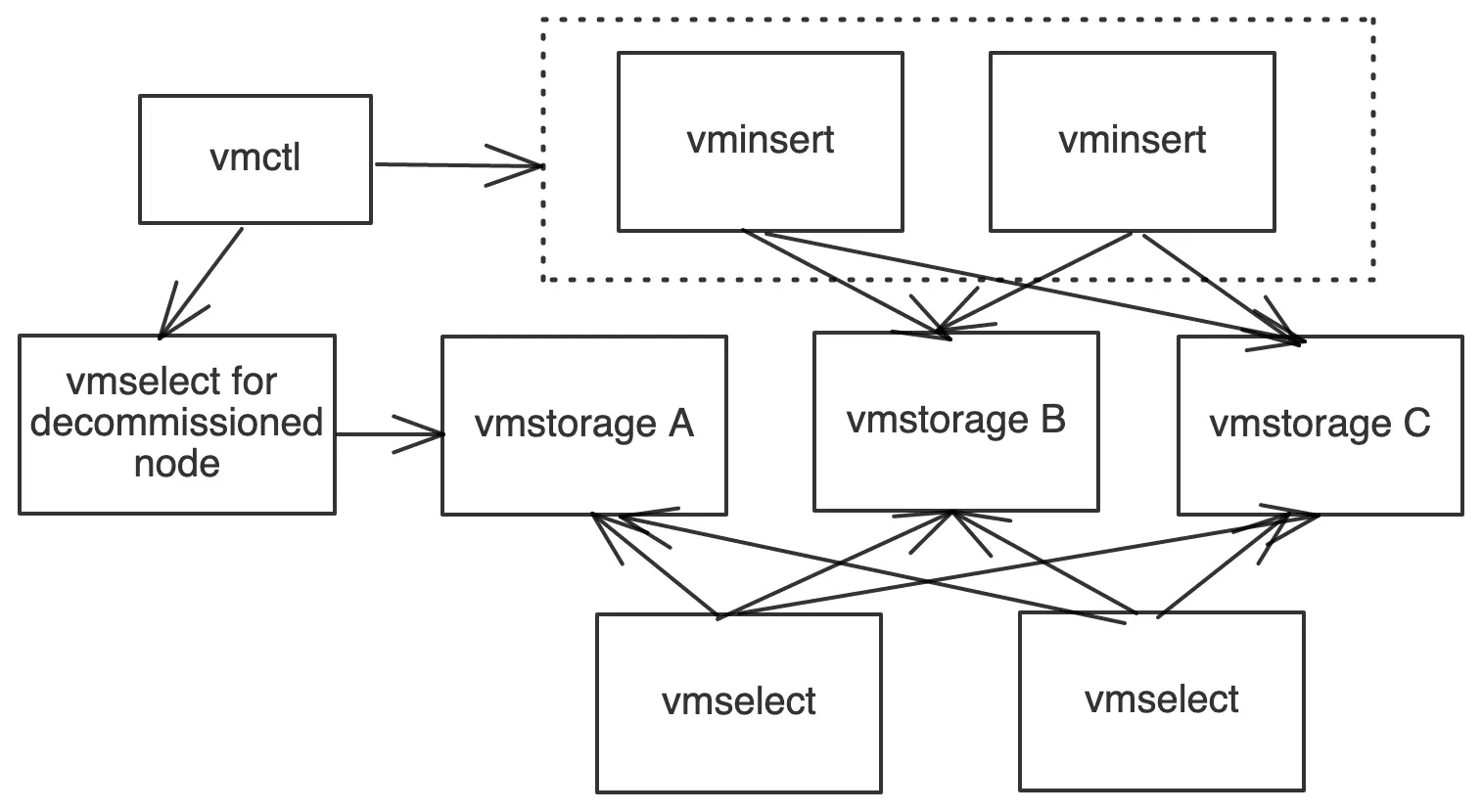
vmstorage Afrom the vminsert list (same as in Solution One). - Set up a dedicated vmselect node that knows only about the vmstorage node that we want to remove (vmstorage A). We need this vmselect node for migrating data from vmstorage A to other vmstorage nodes in the cluster.
- Using vmctl native import/export reads data from vmselect for
vmstorage Aand writes data back to vminsert nodes. 4. This process creates duplicates. - Turn on deduplication on vmselect nodes.
- Remove
vmstorage Afrom the cluster.
Note: Please expect higher resource usage on the existing nodes (vmstorage B and vmstorage C), as they now need to handle all the incoming data.
Pros: Faster way to decommission a vmstorage node.
Cons: The process is more complex compared to solution One. The vmctl import/export process may require tuning if you migrate hundreds of GB of data (or more).
Hint : downsampling reduces the amount of data in a cluster; after downsampling, the vmctl migration requires less data to transfer and less time.
We trust that this is helpful!
Please let us know how you get on or if you have any questions by submitting a comment below.
Leave a comment below or Contact Us if you have any questions!
comments powered by Disqus
You might also like:
How DreamHost Slashed Memory Usage by 80% and Scaled to 76 Million Time Series
VictoriaMetrics delivers a complete open-source observability stack, combining a highly scalable time series database with a powerful log management system. This streamlined, single-binary solution simplifies deployment while providing fast, cost-effective monitoring and logging at any scale.
VictoriaMetrics Components: Getting Started
VictoriaMetrics is a fast, scalable monitoring system made of modular components like vminsert, vmstorage, and vmselect. It supports both single-node and clustered setups, along with tools for backup, restore, alerting, access control, and data migration. Data can be ingested, stored, queried, backed up, and restored with high performance and minimal resource use.
The Rise of Open Source Time Series Databases
Time series databases are essential tools in any software engineer’s toolbelt. Their development has been shaped by user needs and countless open source contributors, leading to the healthy ecosystem of options we see today. In this article, you’ll see how time series databases came about, and why so many are open source.