- Blog /
- Finding Why Payments Fail with VictoriaLogs Drilldown
Finding Why Payments Fail with VictoriaLogs Drilldown
Share:


Grafana’s Logs Drilldown is a point-and-click way to investigate logs without writing queries. Drilldown lets you break the logs down by service, label, pattern, or any other field, and narrow the selection one click at a time until the problem is in view.
It’s a powerful tool, but it only works with Loki. So we built the same experience into the VictoriaLogs data source.
We’re happy to announce that the VictoriaLogs data source for Grafana now ships with Drilldown integration. It runs entirely inside Grafana Explore, so there’s nothing extra to install.
In this post, we show how it works by taking a payment incident apart with VictoriaLogs Drilldown without writing a single query. The application is the OpenTelemetry demo shop with its logs sent to VictoriaLogs, and the incident is staged with one of the demo’s built-in feature flags. The investigation itself is real, and every screenshot comes from that setup. You can try it out yourself on the VictoriaMetrics Grafana playground.
Opening Drilldown
#

To open Drilldown, go to Explore, pick the VictoriaLogs data source, switch the query editor to Code mode and click the Drilldown button in the editor toolbar.
The main Drilldown page has tabs, one for each way to break down the logs. Services groups them by service, Stream fields by the stream fields the logs are stored with, and Patterns by the pattern of the log message. The + button next to the tabs adds a tab for any other field so that the same table can be built for a namespace, a host, or a status code.
The first tab, Services, lists every service by its service.name field with a count, a share
of the total, and a small chart per row. A stacked chart above the table shows the same volume over
time. The chart in each row shows how that service’s logs are spread over the range, and the color
is the log level: green for info, yellow for warning, red for error, blue for debug. For
OpenTelemetry logs, the level is set up by the
OpenTelemetry preset
of the data source. The level buttons above the tabs filter the table by log level.
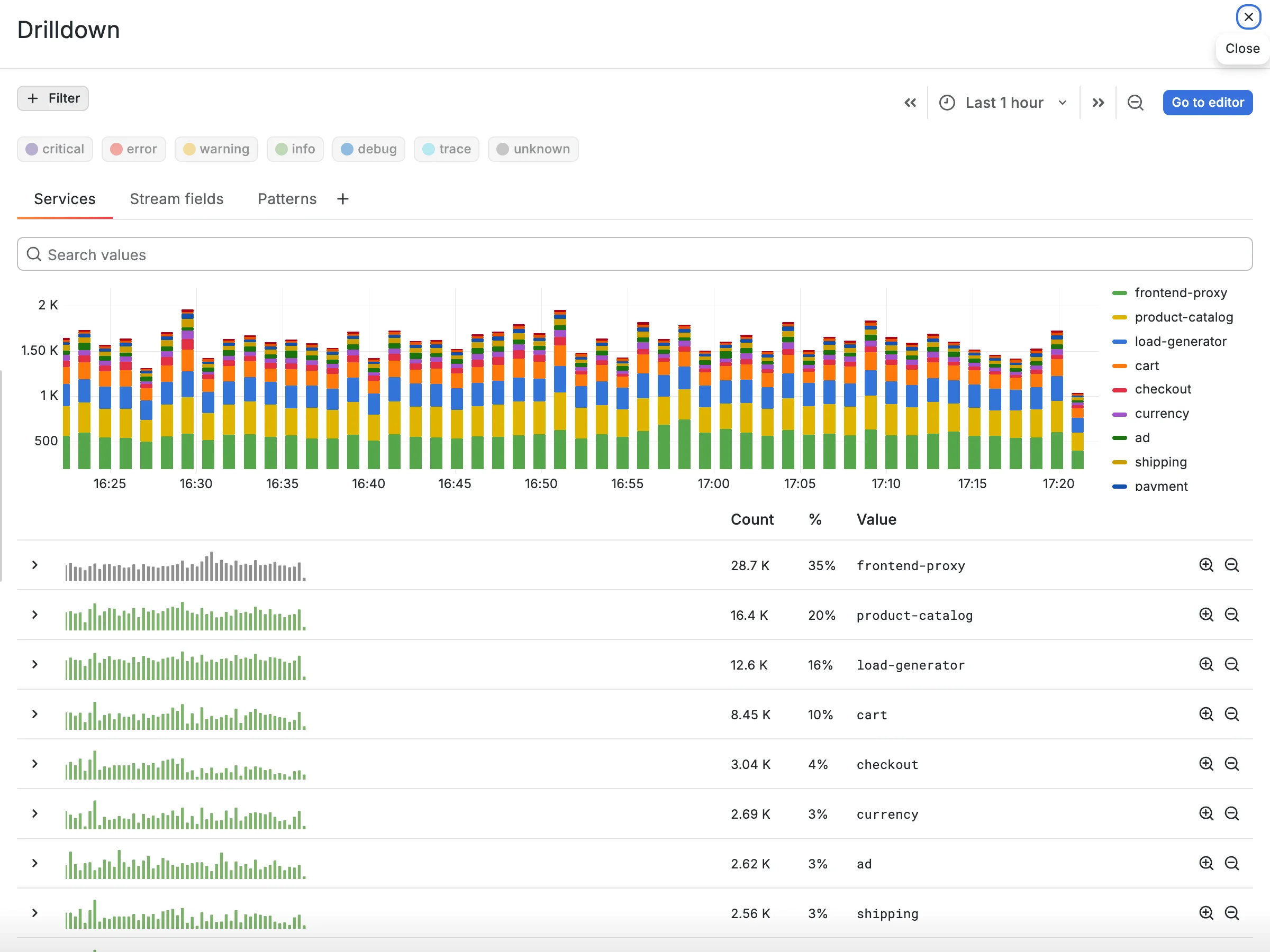
The chart looks normal, with no spikes and almost no yellow or red in any row. So we filter the logs by warnings and errors to see which services have them at all.
Filtering by level and by service
#

We click the error button above the tabs. The table and the chart now count only error-level
entries, and there are none. We add warning. One row is left, payment, with 100% of the
warnings in the last hour. The chart shows that they started about half an hour ago, within a
single minute, and have not stopped.

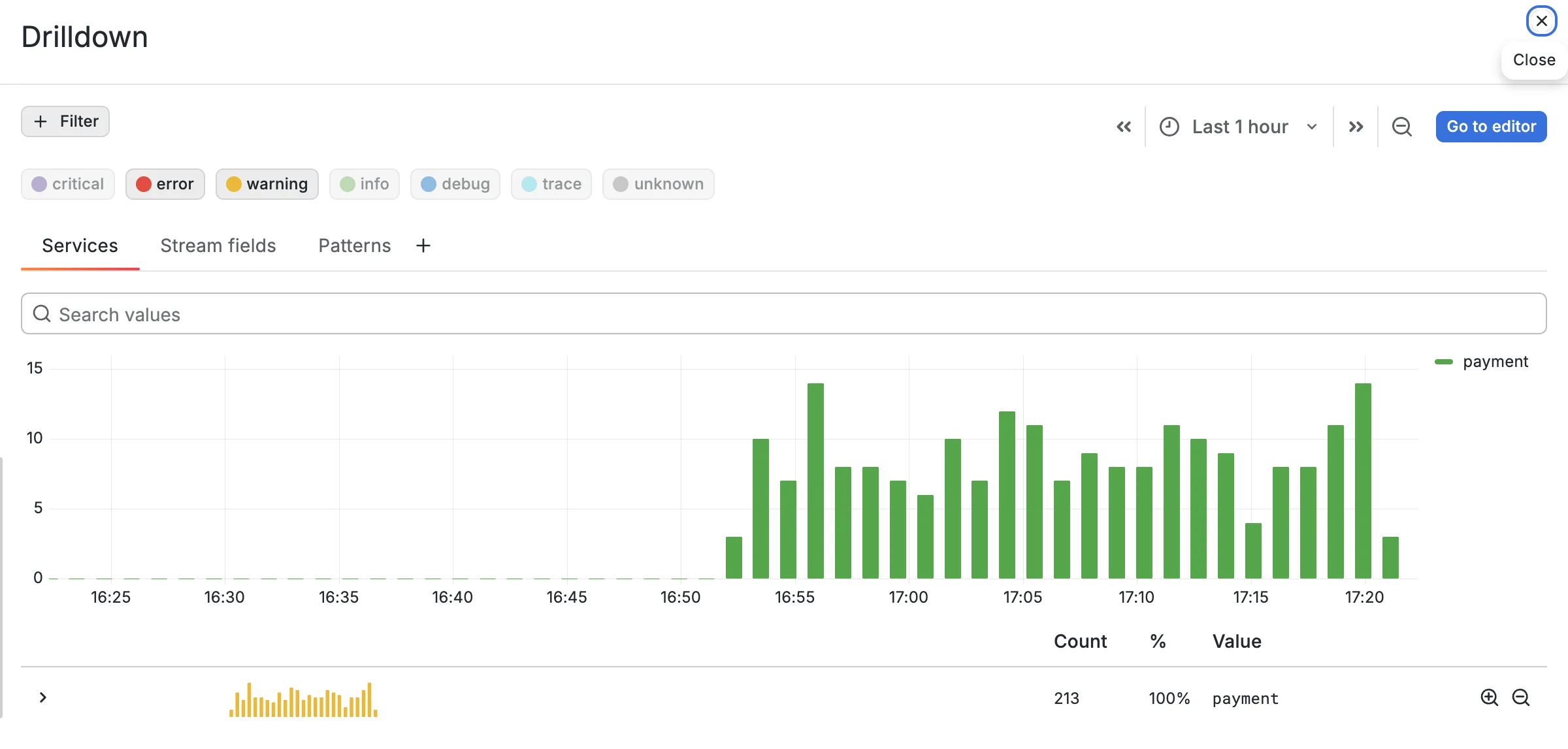
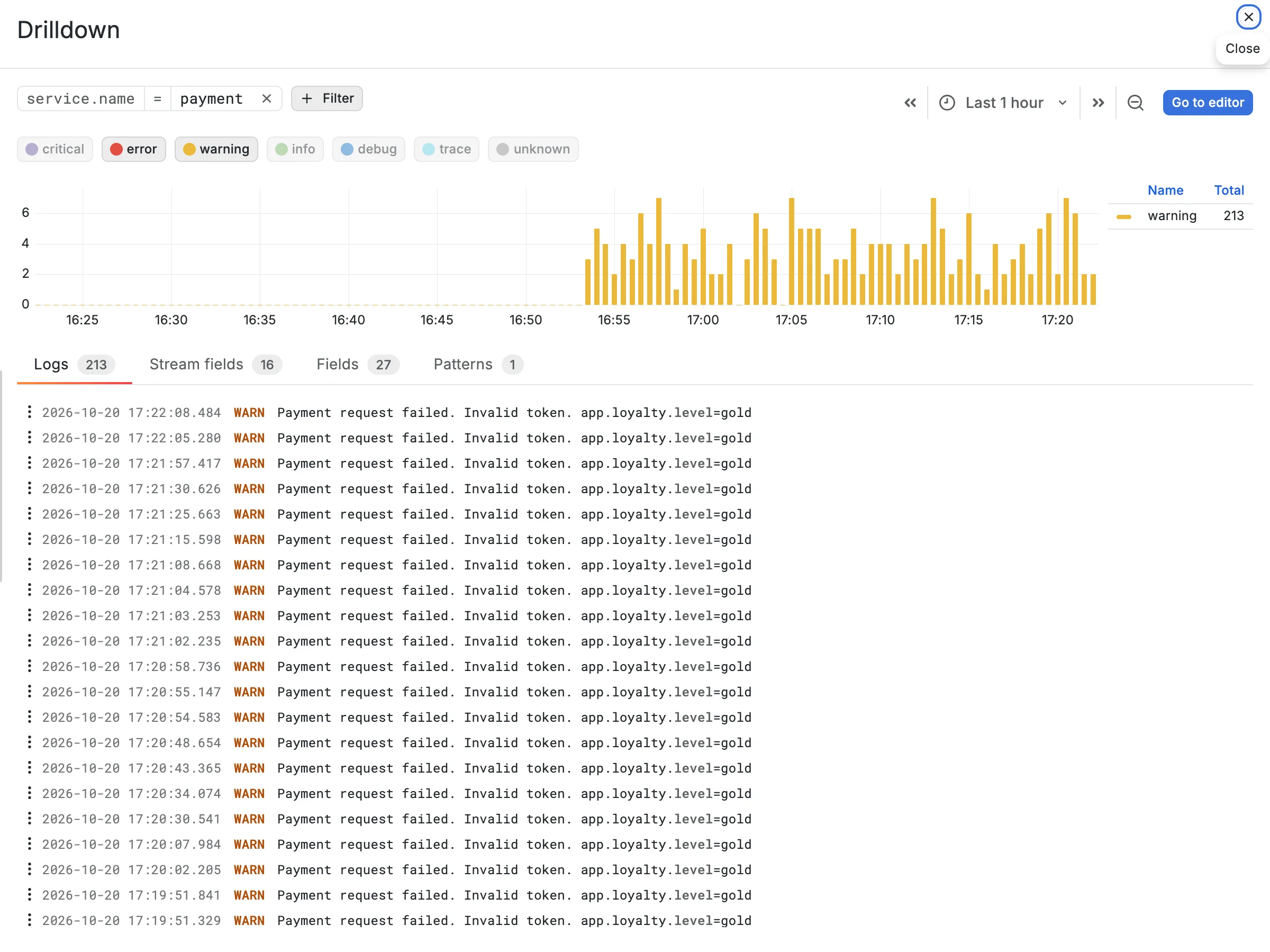

To see the details of a service, click the Filter for icon in its row. This opens the details view of Drilldown, which shows information only for the selected filter: a volume chart by level, and tabs with the logs, the stream fields, the other fields, and the patterns of that selection.
Stream fields and breakdown by a field
#
Did the payment service itself change, or is it reacting to something else? We do not know whether anything was deployed. The level filter hides everything except the bad entries, so we switch error and warning off again. The chart fills with the normal traffic, and the warnings sit on top of it as a thin yellow layer that begins at the same minute.
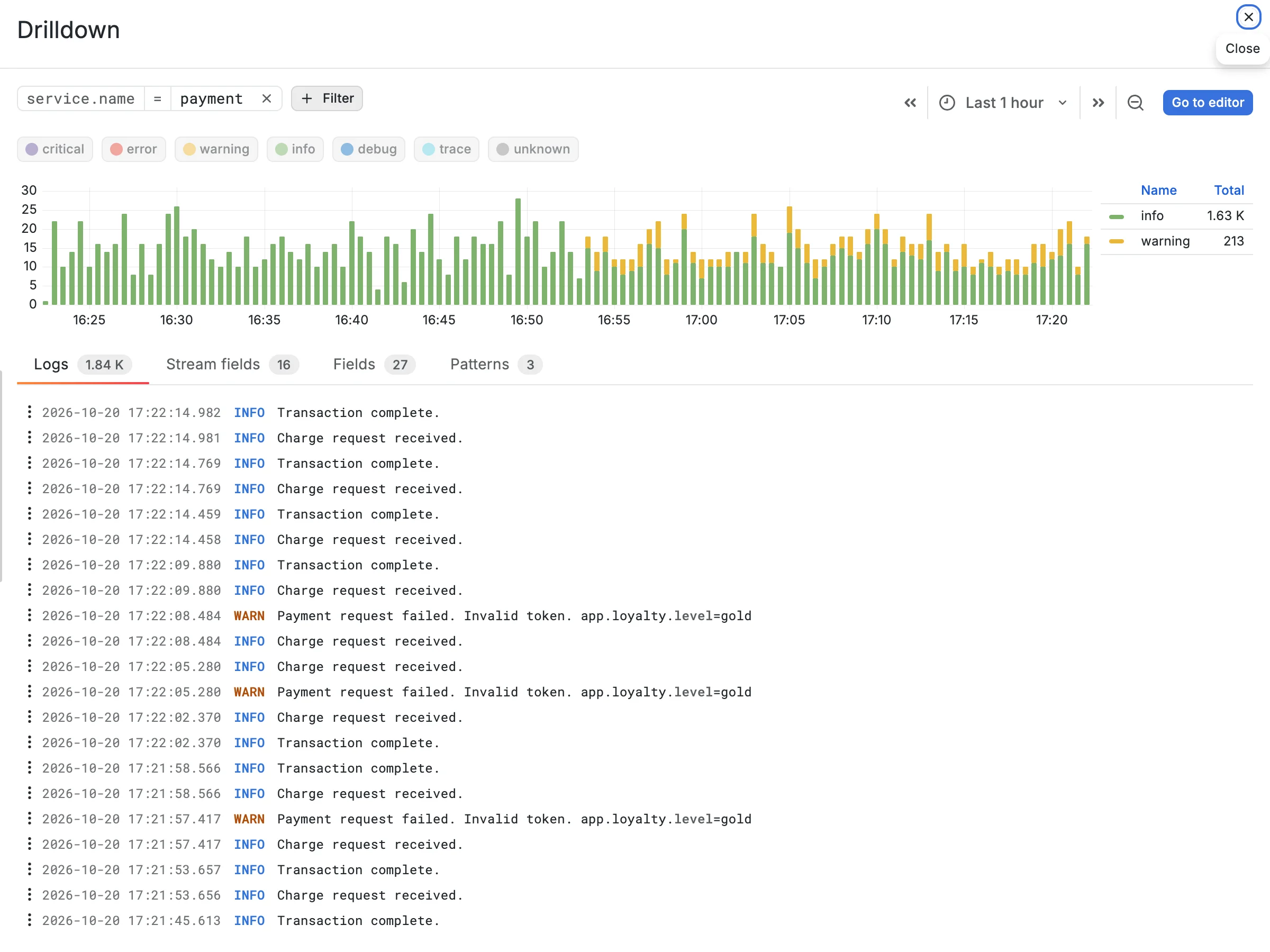
We open the Stream fields tab.
Stream fields are the
fields that identify the application instance a log comes from, and VictoriaLogs stores the logs
of every instance as a separate stream. For OpenTelemetry logs, the resource attributes play this
role: service.name, service.namespace, service.version, and the rest. Over the whole hour,

each of them had a single value. The exception is service.version, which has two: 2.0.2
and 2.0.3.
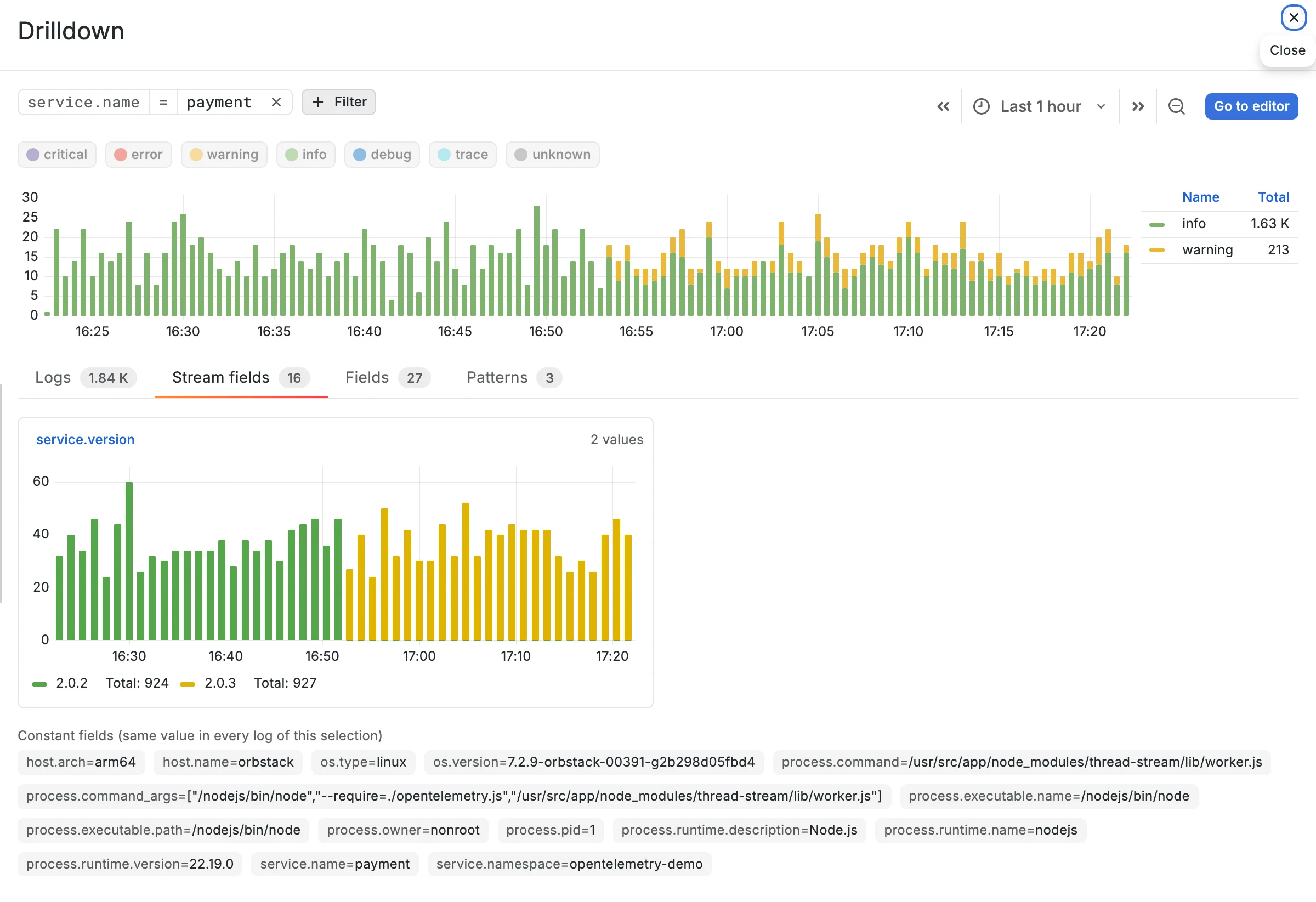

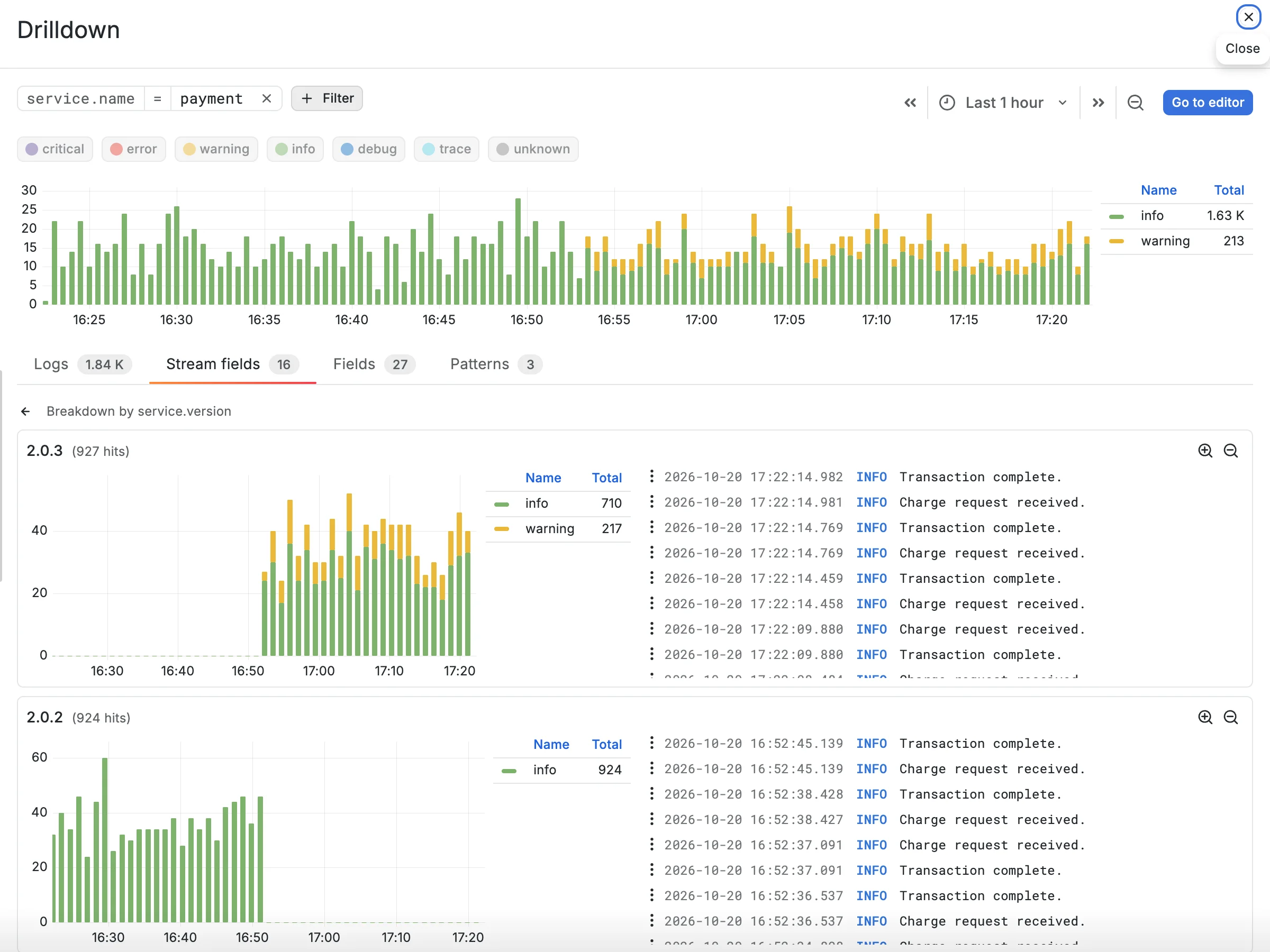
We click service.version and see that the warnings appeared only in the new version, so we add
that version to the filters.
Patterns
#
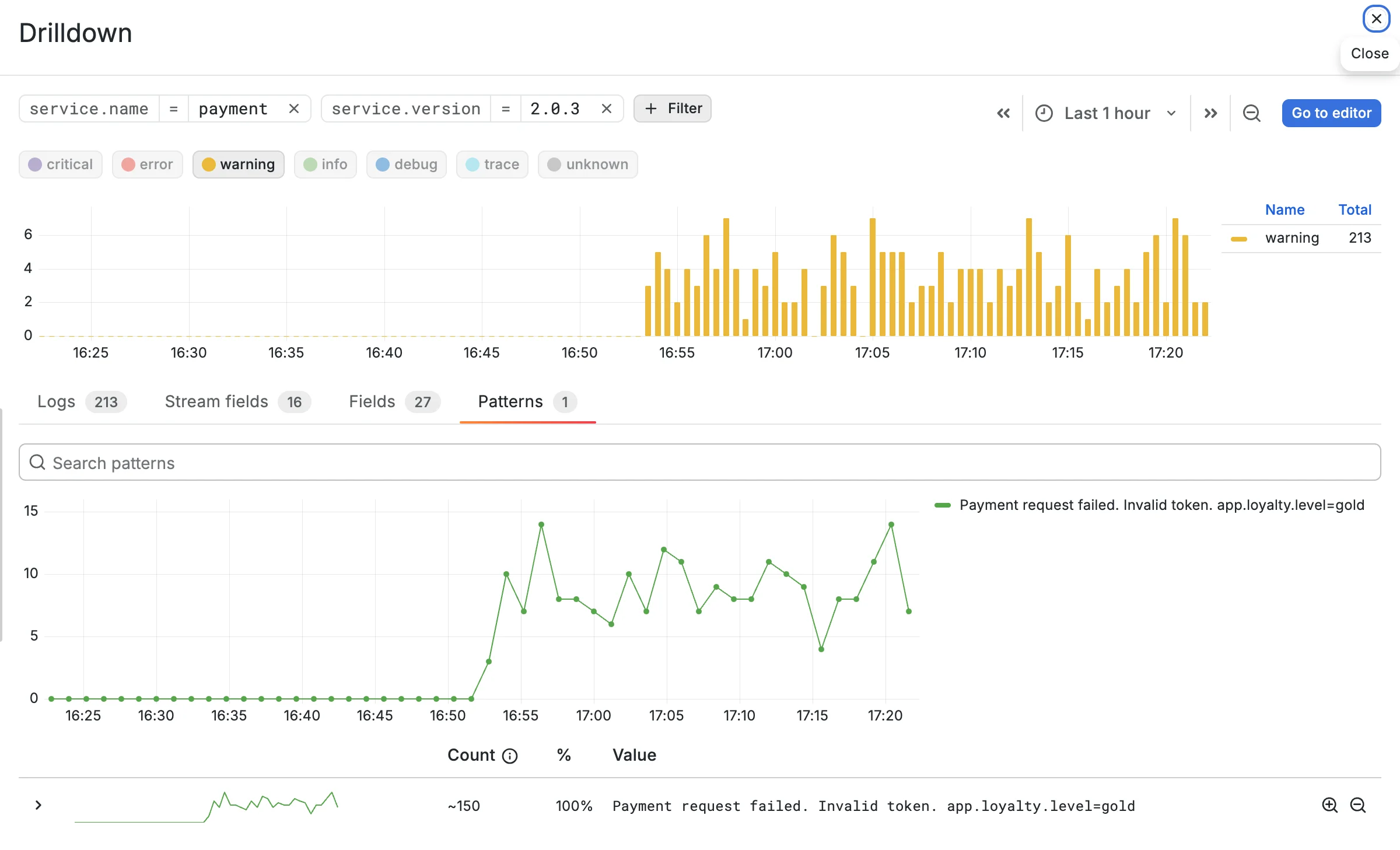

2.0.3 has produced a couple of hundred warning lines. We switch warning back on, so the selection is the new version’s warnings and nothing else, and open the Patterns tab. It groups log messages that differ only in numbers, IDs, timestamps, and the like into one row, with a count and a share per pattern. Here all the warnings collapse into a single row:
Payment request failed. Invalid token. app.loyalty.level=gold
It covers 100% of the warnings. The count reads ~150. Patterns are estimated from a
1-in-10 sample of the logs.
Grouping every line by shape across a large selection would be slow, and a sample is enough to
show which patterns dominate, so the count is approximate. Clicking Filter for pattern on a
row adds the pattern to the filters, and the filtered view shows the exact number.
Log lines
#
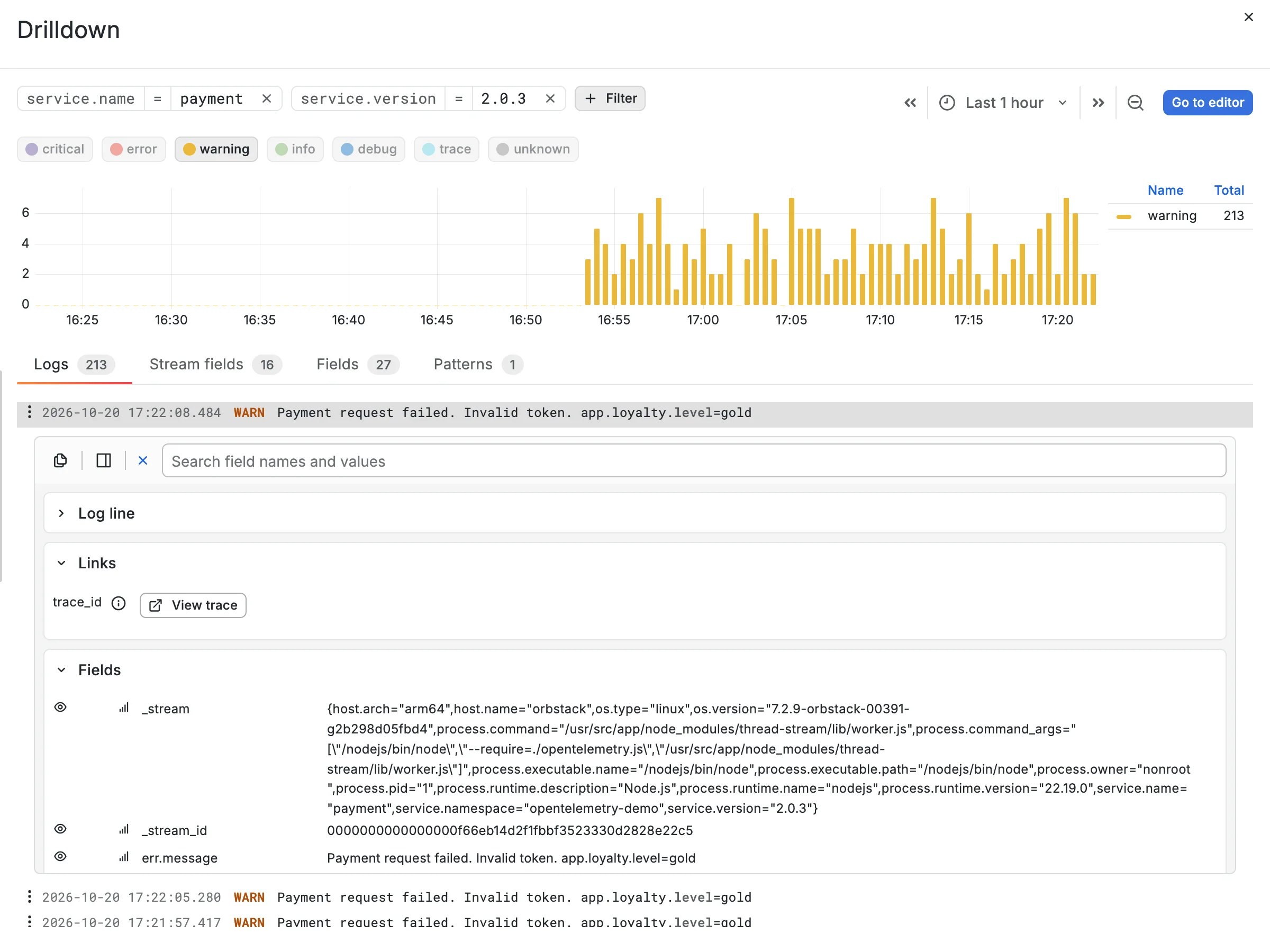
We found the most common warning pattern. Now let’s look at the logs to understand what’s causing the failures. We open the
Logs tab and click any line to expand it. The expanded entry lists all fields of the log, and
a search box above them narrows the list: typing err leaves only the error fields.
err.stack points at the exact line in the payment service, charge.js:37, and the message names
the trait: app.loyalty.level=gold. The new version rejects the payment token for customers with
the gold loyalty level, which is why only some users saw the error.
Back to the editor
#
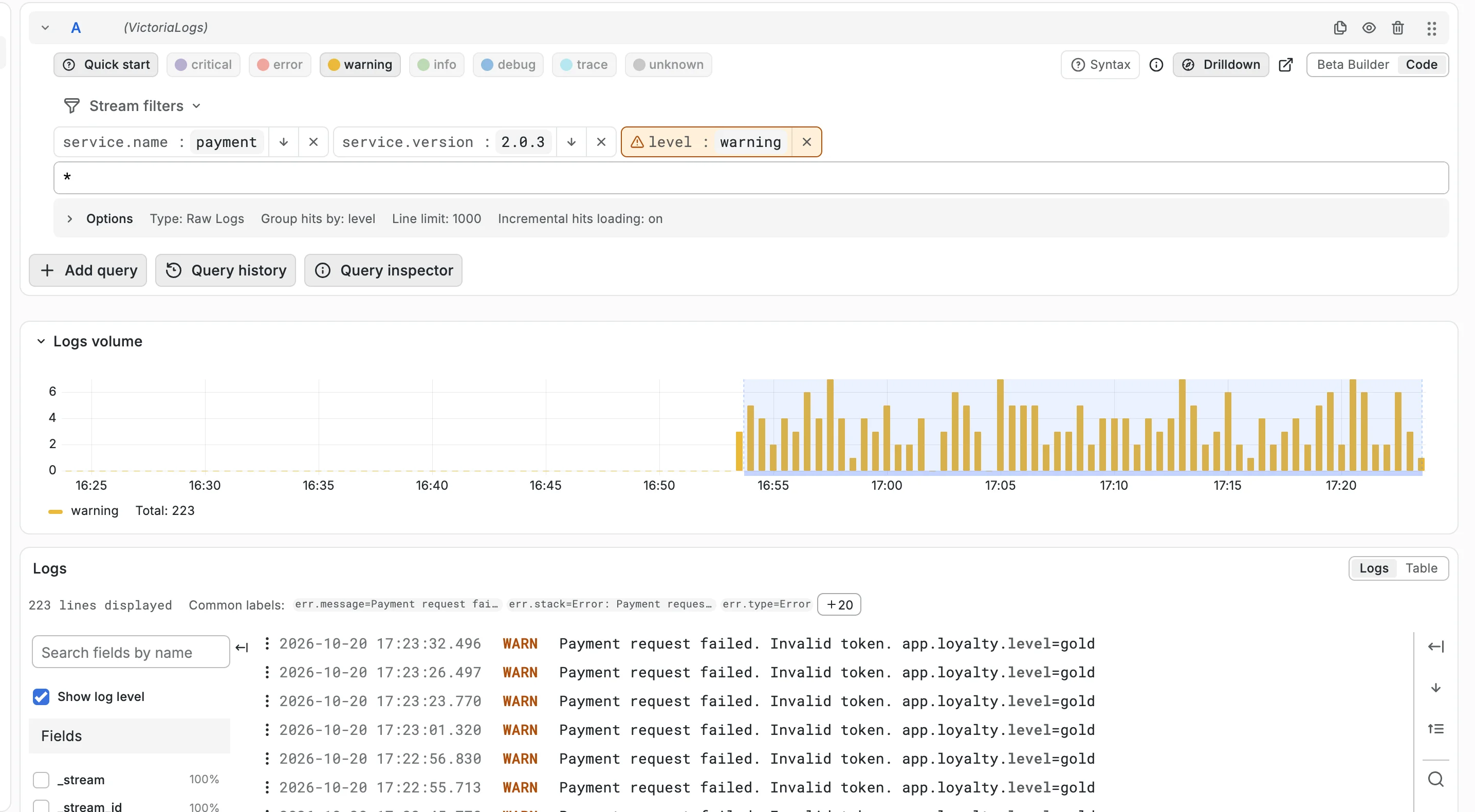
The cause is clear. To continue in Explore, we click Go to editor: the drawer closes and the query editor gets the same filters as chips.
What we found
#
Payment version 2.0.3 rejects charge requests from gold-level customers with “Invalid token”. Customers at other levels pay normally. The next move belongs to whoever owns the payment service: roll back to 2.0.2 and watch the warning count on the same Drilldown screen drop to zero.
We got there without typing a query: the level buttons pointed at the service, the stream fields showed the deploy, the patterns showed one message, and one expanded log line named the cause.
Drilldown is also enabled on the VictoriaMetrics Grafana playground: open Explore, switch to Code mode, and click Drilldown to try it on live data without installing anything. If something gets in the way, open an issue in the data source repository.
Leave a comment below or Contact Us if you have any questions!
comments powered by Disqus
You might also like:
Go, Logs and the Engineering Behind VictoriaLogs Performance
Tech Talk #15: Jesús Espino explains how architecture, data locality, Bloom filters, and Go help VictoriaLogs deliver efficient log storage and fast queries.
What Is Observability? It’s More Than Metrics, Logs, and Traces
Observability is a practice, not a product. Learn how metrics, logs, traces, and OpenTelemetry help engineers investigate problems and understand their systems.
Announcing vmestimator: Real-time Cardinality Estimations for VictoriaMetrics and Prometheus
vmestimator is a new open-source tool that estimates metric cardinality in real time. It can alert to high-cardinality spikes before they slow queries and increase resource usage. Works with any Prometheus-compatible setups, Grafana, and vmalert